
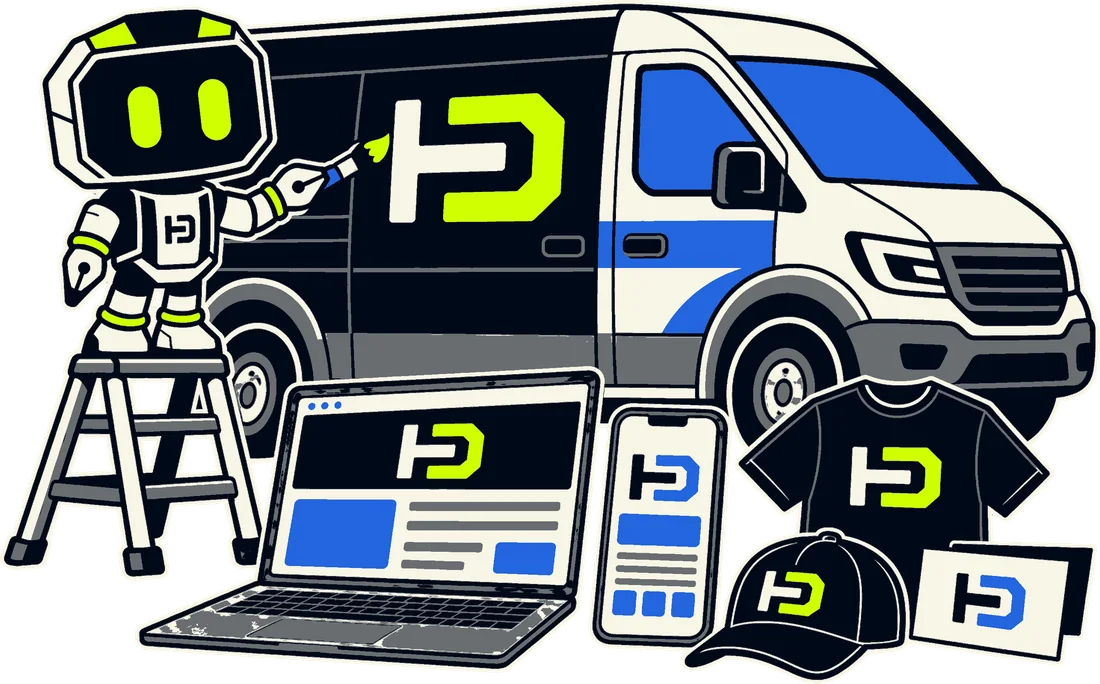
A logo suite is one logo drawn in every version a business will need: the primary logo, a horizontal and a stacked layout, the wordmark, the symbol or monogram on its own, and each of those in full colour, one colour, black and reversed white. It comes with the rules that keep the logo the same everywhere, such as clear space and minimum size, and with the files that printers, platforms and web developers ask for: vector masters (SVG, EPS or PDF) and PNG or JPG exports. One logo file cannot fill a square Google profile, a circle on Facebook, a tiny browser tab and a one-ink print job at once; a suite can.
How we researched this. We read 21 sources between 14 and 21 October 2026. The sizes come only from each platform’s own help pages (Google, Facebook, LinkedIn, YouTube and Android); where a platform publishes no official size, as we found for Instagram, we give none. The rules come from two published brand guidelines, Spotify’s and Mastercard’s; the file and colour advice from Adobe, Pantone and the W3C; the ownership points from the US Copyright Office, court records and IP Australia. Nothing here is legal advice. Every figure is listed, with its link and date, at the end.
What is in a logo suite?
Designers name the parts differently, and one studio’s submark is another’s monogram, but every suite we looked at is built from the same pieces. Shopify and Vistaprint both name four core versions (primary, secondary, submark and favicon); the fuller lists add a wordmark, the colour versions and the rules.
- Primary logo: the full version, symbol and name together as designed. Shopify calls it “the one most recognized by your customer base”. It goes wherever there is room.
- Secondary logo, horizontal or stacked: the same parts rearranged. Horizontal for wide, short spaces like a website header or an email signature; stacked for square or tall ones like a profile picture, a label or a sign.
- Wordmark: the name on its own, drawn as lettering rather than typed in a similar font. In Elegant Themes’ words, “the full name of the business”.
- Icon, submark or monogram: the symbol or the initials alone, for small and square spaces: the browser tab, an app icon, every round profile picture. Elegant Themes’ test is simple: it is the version “that will fit in a circle”.
- Colour versions: full colour, one colour, black, and reversed (white, for dark grounds and photos). Spotify’s rule is a good model: the green logo only on black or white, the black logo on light grounds, the white logo on dark.
- The rules: clear space, minimum size and the things nobody may do to it.
- The files: vector masters, raster exports, and the colour codes for screen and print.
You can see a whole suite taken apart, version by version, in the logo suite section of our branding page, using our own logo as the example.
What is the difference between a primary and a secondary logo?
The primary logo is the default; the secondary is the same logo rearranged or simplified for a space the primary doesn’t fit. Shopify’s definition: “When the primary logo doesn’t work for your format, a secondary logo offers a simplified version.” Vistaprint describes it as a rearranged version, stacked instead of horizontal. The reason is shape. A wide logo shrinks to almost nothing inside a square, so the secondary exists to keep the logo big in every space instead of small in most of them.
A secondary logo is not a second logo. It uses the same symbol, the same lettering and the same colours. If it looks like a different business, the suite has failed at the one thing it is for: being recognised. Jenni Romaniuk of the Ehrenberg-Bass Institute, who studies how buyers recognise brands, judges shapes, colours and fonts like these on two things, how well known and how unique they are, and a mark only becomes well known by turning up the same way, again and again.
Where does each version go?
Every place a logo lives has its own shape and size, and the platforms publish them. This is what each one asks for, from its own help page, and the version of the suite that fits.
| Where it goes | What the platform asks for | The version that fits | Source |
|---|---|---|---|
| Google Business Profile | JPG or PNG, 10 KB to 5 MB; 720 × 720 px recommended, 250 × 250 px minimum | Icon or stacked logo, square | Google Business Profile Help |
| Google search result (favicon) | Square, at least 8 × 8 px; Google recommends larger than 48 × 48 px | Icon or monogram | Google Search Central |
| Facebook Page | Upload 320 × 320 px; shown at 176 × 176 on computers and 196 × 196 on phones; cropped to a circle | Icon or stacked logo, centred, PNG | Facebook Help Centre |
| LinkedIn Page | 400 × 400 px recommended, 268 × 268 minimum; PNG or JPEG up to 3 MB | Icon or stacked logo | LinkedIn Help |
| YouTube channel | JPG, GIF, BMP or PNG up to 15 MB; shown at 98 × 98 px | Icon | YouTube Help |
| Android home screen | Layers 108 × 108 dp; logo between 48 and 66 dp, the only part never clipped | Icon, with room around it | Android Developers |
| Website header on a dark section | The logo is exempt from contrast rules; the text around it needs 4.5:1 | Reversed (white) version | W3C, WCAG 2.2 |
| Signs, vans, printed banners | Any size, so it must scale; CMYK or Pantone colour | Vector master, one-colour version | Adobe; Pantone |
Look at the shape more than the numbers. Every profile space in the table is a square or a circle; none of them is wide, which is why the icon and the stacked logo end up doing more work than the wide logo most businesses start with. Facebook crops to a circle, so anything near the corners is cut. Android shows only the inner 66 of 108 dp, because each phone maker masks the icon in its own shape. And Instagram publishes no official size at all, so the safe choice there is the icon, centred, with room around it.
What logo file types do you need?
Two kinds, for two jobs. Vector files store the logo as shapes, so, in Adobe’s words, they can be resized “infinitely without losing any image quality”. Raster files store it as a fixed grid of pixels, and they “lose image quality when resized”. A sign, a van or a printed banner needs the vector; a profile picture or an email signature takes a raster export at the size the platform asks for.
- SVG: vector. Works on the web and in most design tools, and is the master the other files are made from.
- EPS or AI: vector. What print shops, sign makers and embroiderers usually ask for.
- PDF: can carry the vector, and is the easiest file to send to a printer.
- PNG: raster, with a transparent background. Profiles, slides, documents and email. Google, Facebook and LinkedIn all accept it, and Facebook suggests PNG for a picture with a logo or text in it.
- JPG: raster, no transparency. Fine where a platform demands it, poor for a logo on a coloured ground.
Colour travels as codes, one set per medium: HEX and RGB for screens, CMYK for four-colour print, and Pantone for anything that must match across printers, such as signs, uniforms and packaging. Pantone colours are premixed spot inks, and Pantone itself notes that many of them sit outside what four-colour printing can reproduce and “will look quite different”. A suite that names the ink keeps a strong brand colour from printing dull.
When our designer hands over a logo, this is the file standard we ask for: the editable source, SVG and a transparent PNG, all text outlined so the logo never depends on a font being installed, a light and a dark version, the clear-space and minimum-size rules, and the typeface named with a licence that allows it in a logo. We check every delivery against that list before it reaches the client.
What rules come with a logo suite?
Three, and the large brands publish theirs, which makes them a useful model for any business.
- Clear space: a margin nothing else may enter. Spotify sets it at half the height of its icon; Mastercard at a quarter of the width of one of its circles, on every side.
- Minimum size: below it, detail fills in and the logo stops reading. Spotify’s full logo is never smaller than 70 px on screen or 20 mm in print, and its icon never smaller than 21 px or 6 mm.
- The don’ts: Spotify’s list is typical. Don’t rotate it, stretch it or change its shape, don’t put it on a busy or low-contrast background, and don’t add colours from outside the palette.
The colour rules touch accessibility too. The W3C’s contrast standard exempts the logo itself: “Text that is part of a logo or brand name has no contrast requirement.” The text and buttons around it are not exempt, and normal text needs a contrast of at least 4.5:1 against its background. So the colour versions are chosen with the palette: a reversed logo on a dark brand colour only works if the words next to it pass as well.
Can an AI logo generator make a logo suite?
It can make a picture of a logo. A suite is a different thing: a set of matched versions, drawn as vectors, with rules, so a generated image still needs the stacked layout, the icon, the one-colour version and the minimum size worked out by someone. Two other points matter more to an owner. Neither is legal advice.
- Who owns it. In January 2025 the US Copyright Office concluded that copyright “does not extend to purely AI-generated material” and that “prompts do not alone provide sufficient control” to make you the author. In Thaler v Perlmutter a federal appeals court held that a work needs a human author, and in March 2026 the Supreme Court declined to hear the appeal. In Australia, the Full Federal Court held in Telstra v Phone Directories [2010] FCAFC 149 that copyright needs a human author. The Copyright Office also says that using AI “to assist rather than stand in for human creativity” does not affect protection.
- Whether it is yours alone. Researchers have shown that image models “memorize individual images from their training data and emit them at generation time”, trademarked company logos among them. OpenAI’s own terms say output “may not be unique and other users may receive similar output”.
- Trade marks are a separate question. IP Australia registers a logo on whether it is distinctive, and some words and images “can’t be trade marked” because they are common. Who drew it is not the test, so an AI-made logo is not automatically unregistrable; the risk is that it lands close to someone else’s mark.
AI is useful around a logo: mood boards, exploring directions, mockups of a finished mark on a van or a shirt. We use it for exactly that. On our projects, the mark itself is drawn by a designer.

What I’d do
Before paying anyone for a logo, I’d ask for the file list in writing: every version, every colour version, every format, and the rules. If the quote says “logo” and nothing more, you are buying one picture. When it arrives, I’d test it the cheap way: shrink the icon to the size of a browser tab, drop it into a circle, print it in black on an office printer. If it still reads as yours each time, it’s a suite. And I’d keep the vector masters and the editable source in a folder you own, not only on the designer’s drive, because the day you order a sign or a uniform, that is the first file anyone asks for.
Juan Pablo Tagliaferro, founder, HagoDigital
Questions people ask next
Is a logo suite the same as brand guidelines?
No. The suite is the set of logo versions and their files. Brand guidelines, or a brand book, also cover the colours, the typefaces, the voice and how to use them together. The suite’s rules, clear space and minimum size, are usually the first pages of the guidelines.
How many logo variations does a business need?
There is no fixed number. Elegant Themes notes that some brands use two and others six or eight. For most businesses the useful core is the primary logo, one second layout (horizontal or stacked, whichever the primary isn’t), the icon, and a one-colour and a reversed version of each.
What files should a designer hand over?
The editable source file, the vector masters (SVG, plus EPS or PDF for printers), transparent PNG exports, the colour codes for screen and print (HEX, RGB, CMYK and, if you print signs or merchandise, Pantone), and the name of the typeface with a licence that allows logo use. Ask for the text to be outlined, so the logo never depends on a font being installed.
Can I use my logo as the favicon?
Use the icon or monogram, not the full logo: Google asks for a square favicon and recommends larger than 48 × 48 px, and at that size a name becomes unreadable. The favicon should be “visually representative of your website’s brand”, which is exactly what the icon is for.
Do I need Pantone colours?
Only if colour has to match across printers, such as signage, uniforms or packaging. Pantone colours are premixed spot inks, and many fall outside what four-colour (CMYK) printing can reproduce, so a suite that names the Pantone ink keeps a strong brand colour from printing dull.
About this guide. HagoDigital designs logo suites as part of brand identity work, so we have an interest in this question; that is why the sizes and rules here come from the platforms and brands themselves, and every one is listed below. Our prices live on the pricing page and are not repeated here, so this guide stays true when they change. If you want a suite drawn for your business, this is what we do.